How it works
One song, one place, from the first hum.
A song usually lives in eight places at once: a voice memo, a notes app, a project file, six bounces called final_final, and a chat thread. Murmur is one room for all of it.
From a spark to a song.
- Say it
Hum it, tap it, draw its shape, or just name the feeling.
- Hear it
Murmur plays it back as a band, on tracks you can open and change.
- Build it
Record over it, cut it, add your own playing, choose the sounds.
- Write it
Words on the bars they're sung on, looping while you write.
- Try it another way
Every direction keeps its name. Nothing gets written over.
Sketch Pad
Sketch the feeling before the notes.
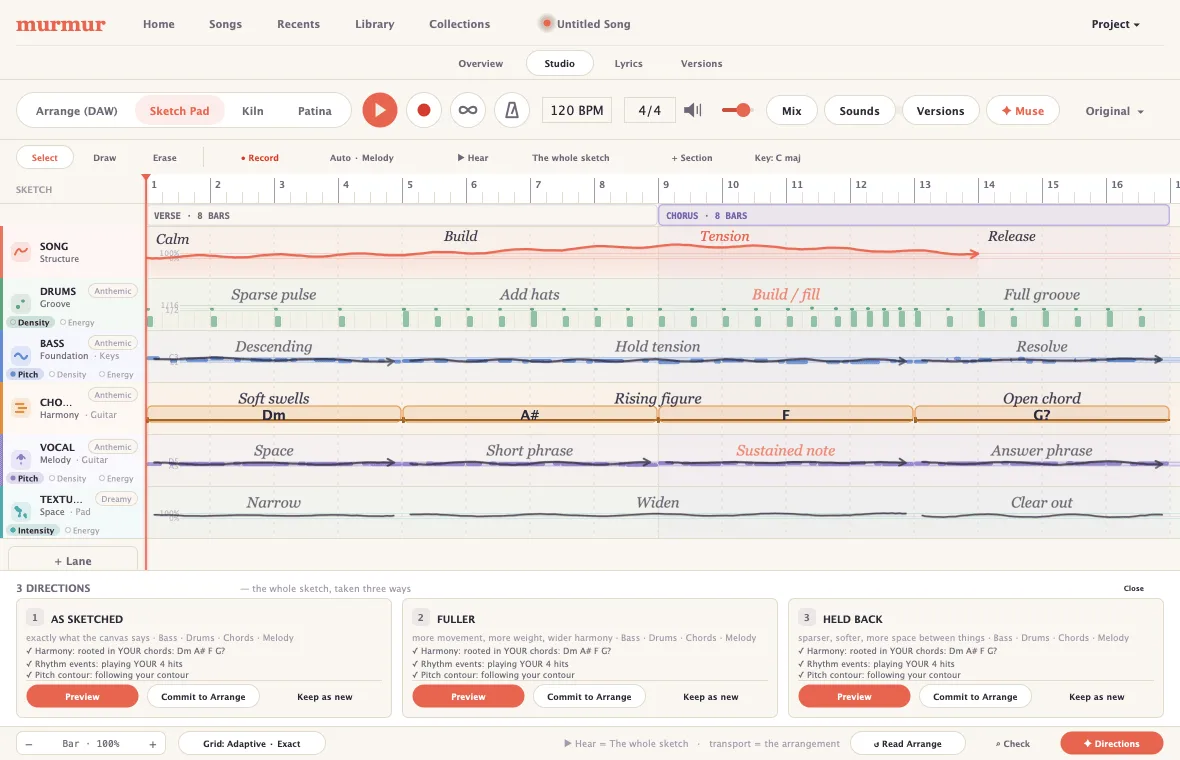
Sparse here. Build across four bars. Descending. Open out at the chorus. The Sketch Pad is a canvas for exactly that, and a way to hear it straight away.
The sketch doesn't disappear once the song exists. It sits alongside, so you can keep sketching and keep changing your mind.
- A lane each for structure, drums, bass, chords, melody and texture.
- Draw a line and bend it until it’s right. It stays in the key without trapping you there.
- Rhythm as bands of steps. Chords as chords, with the Roman numerals if you like them.
- Hum a take and get three readings of it back, all of them editable.
- Already have an arrangement? Murmur can read it back into a sketch and you can carry on from there.
Arrange
Turn the idea into the song.
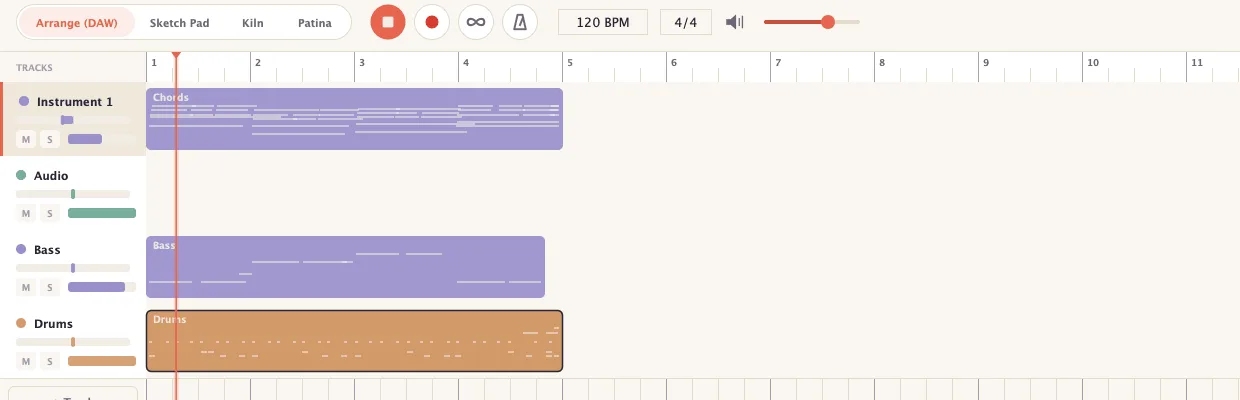
Arrange is the ordinary part, and it's ordinary on purpose. What matters is whether you can get from an idea to something you'd play someone, without leaving.
So it holds what a demo actually needs recording, editing, a rough mix with some intent, and a bounce that sounds like what you heard.
- Sections you can name, colour, drag and resize. Loop and count-in on the transport.
- Audio and MIDI clips: drag, trim, split, duplicate, shift-drag to copy.
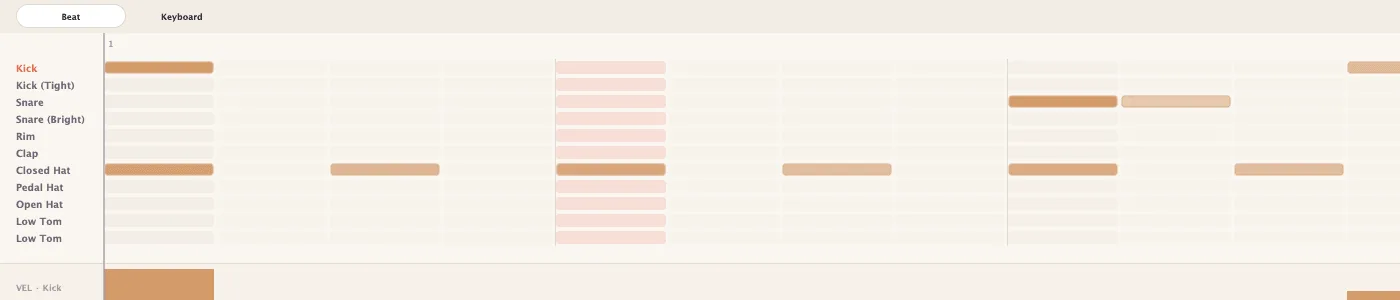
- A piano roll, a step sequencer and a drum grid all with velocity.
- Sing into a mic, play a MIDI keyboard, or use your computer keys as one.
- Volume, pan, mute, solo, effects where you want them, and your own VST3 and Audio Unit plug-ins.
- Odd time signatures are real ones: the ruler, the grid and the metronome all agree on the bar.
Lyrics
Write the words where the music happens.
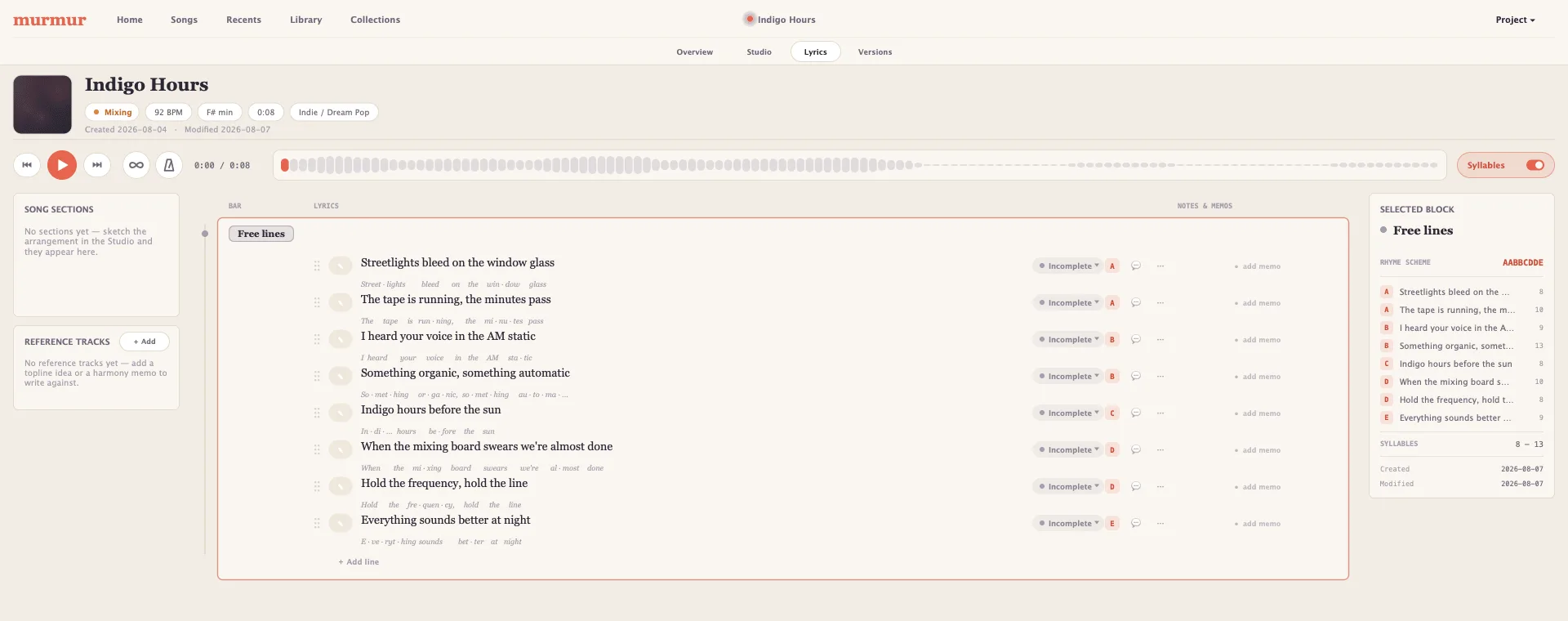
Words in a separate app drift away from the music the moment the arrangement changes. Here they live in the song, on the bars, kept with every version.
The practical difference is small and it matters a lot: you can hear the four bars you're writing to, on a loop, while you write to them.
- Lines sit on the beats they land on, in the sections they belong to.
- Loop a section and keep typing. Writing doesn’t stop the music.
- Syllables counted and rhymes lettered, quietly, for when a line won’t sit.
- A half-finished line can look half-finished notes and a status per line.
- Sing a melody memo straight onto a phrase, or write against a reference track.
Versions
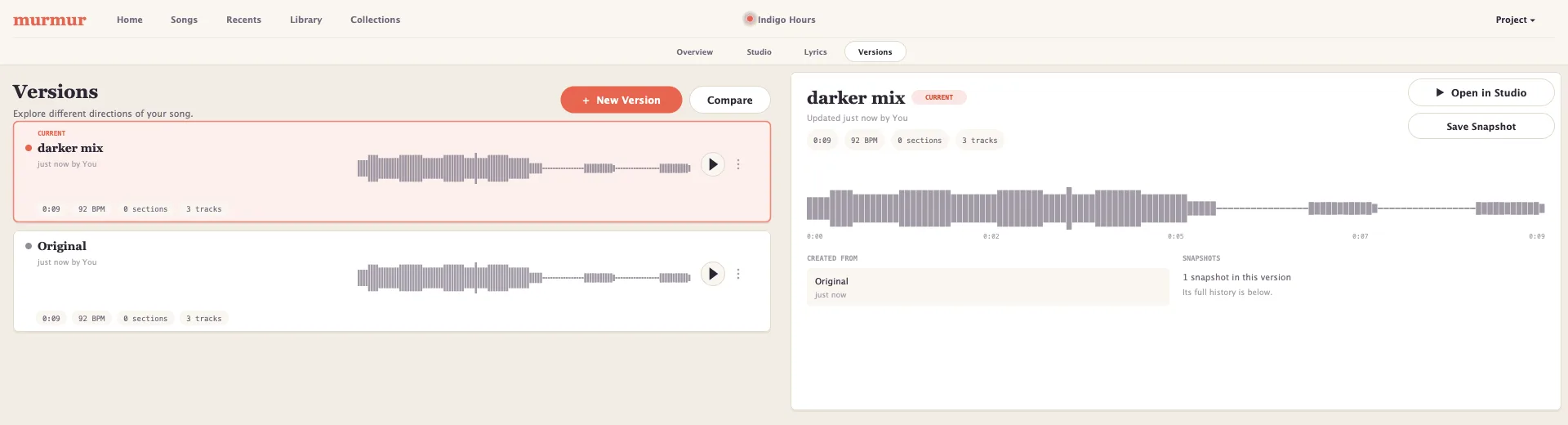
Try another direction without losing this one.
People stop exploring because exploring is expensive. A copy of the project, a name you won't recognise next week, and a quiet fear of losing the good take.
Try the darker chorus. If it's worse, the one you had is sitting right there with its own waveform and its own history.
- Versions have names, not numbers “darker mix”, “late night idea”.
- Murmur tells you what changed in plain words: a section moved, this part is thinner.
- Found something good in the old one? Bring across just that clip, lane or line.
- Keeping ten versions of a song costs almost nothing on disk.
Sound design
Kiln and Patina.
One idea, two tools: a sound is more interesting when part of it came from you.
Kiln
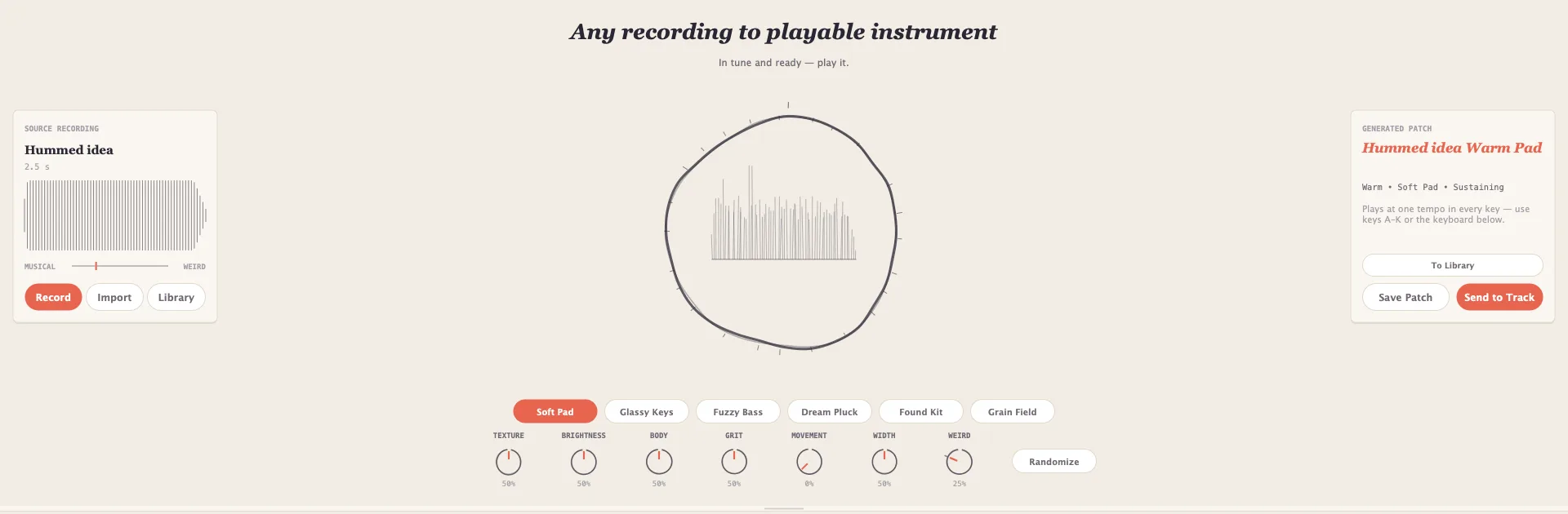
Record a sound. Turn it into something playable.
Kiln listens for the part of a take that will hold a note, builds an instrument around it, and hands you something playable across the whole keyboard in tune, at a usable level, straight away.
It works on things that aren't notes. A tapped table becomes a kit. A room becomes a pad. A hummed idea becomes the pad the song was missing.
- Record straight into it, or bring in a file you already have.
- Six ways in: Soft Pad, Glassy Keys, Fuzzy Bass, Dream Pluck, Found Kit, Grain Field.
- Texture, brightness, body, grit, movement and width plus a weirdness dial that means it.
- Play it two octaves down and it still moves at the speed you recorded it.
- Keep it in your library, or send it straight to a track.

Patina
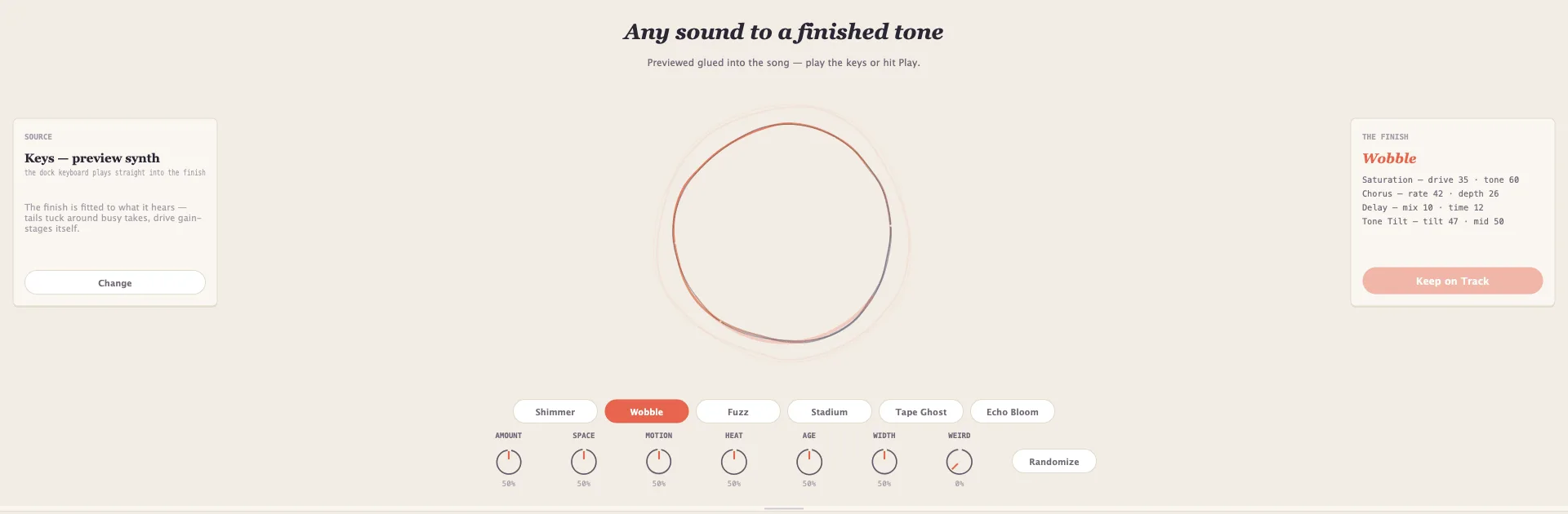
Give a sound some character.
Modern sounds are clean because everything in the chain is clean. Patina goes the other way: tape, a room, saturation, a wobble in the pitch, the sense that the sound has been somewhere.
Pick a character, turn six knobs, keep the good accident.
- Characters, not parameters: Shimmer, Wobble, Fuzz, Stadium, Tape Ghost, Echo Bloom.
- Amount, space, motion, heat, age and width, plus the weirdness dial.
- You hear it inside the song, where it’s going to live.
- Keep it and it lands on the track as effects you can still open, tweak or throw away.

Collections
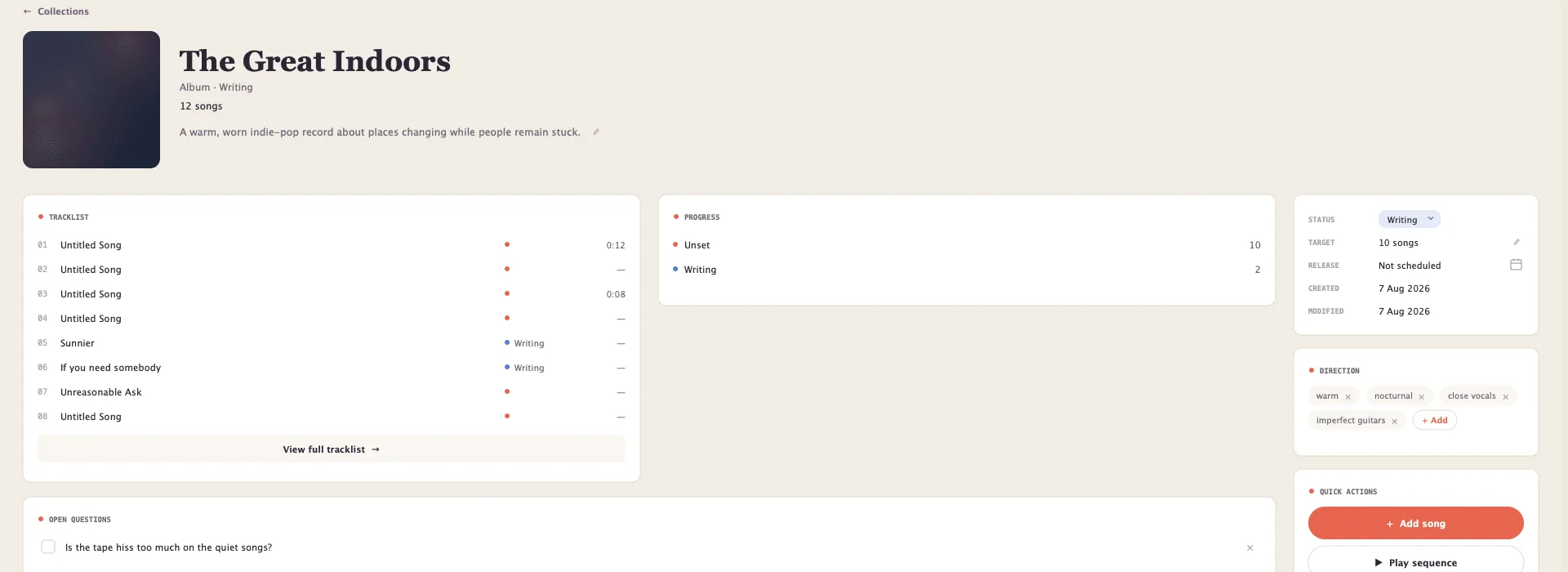
See the bigger thing you're making.
An EP isn't twelve unrelated files. It has an order, a direction, and a set of arguments you had with yourself about the tape hiss on the quiet songs.
Albums, EPs, sets a collection holds all of that in one place.
- A running order you can drag around until it flows.
- The notes, the decisions, and the questions you haven’t answered yet.
- Your songs stay where they are. A collection points at them.
And underneath it
-
Sounds ready on first open
Pianos, electric keys, basses, guitars, kits, percussion, strings, pads, leads, plucks, organs, poly synths and textures. Nothing to download before you can start.
-
A song is a file you own
One file per song, holding the audio, the words, the versions and the backups. Copy it, put it on a drive, keep it forever. No account, nothing to sign in to.
-
It works on a plane
Murmur is a Mac app that runs on your machine. Nothing is uploaded and nothing needs a connection.
-
Your plug-ins are welcome
VST3 and Audio Unit effects and instruments, with their settings saved into the song, so it opens sounding the way you left it.
Ready to make something?
Murmur goes into beta later this year. Leave your address and you’ll be among the first to play with it.